
Having multiple Treatment screens can be useful if you see Patients for more than just Chiropractic. They can be used to separate things like Chiro/Nutrition/PT codes into their own sections.
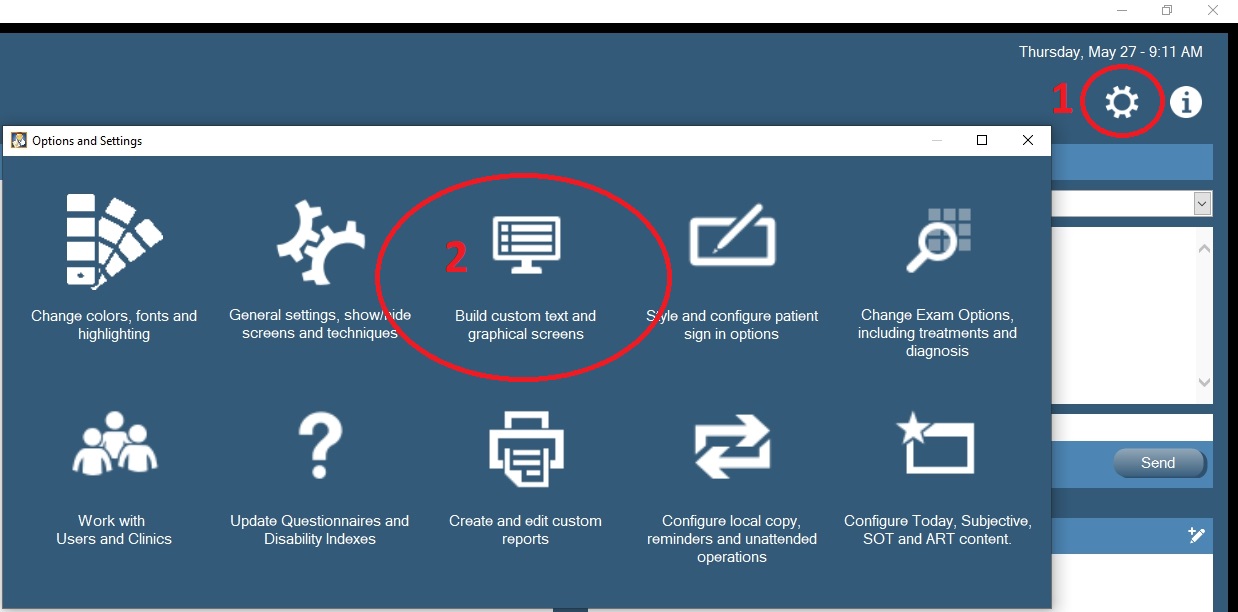
Click on settings (1) and choose Build Custom text and Graphics screens (2)
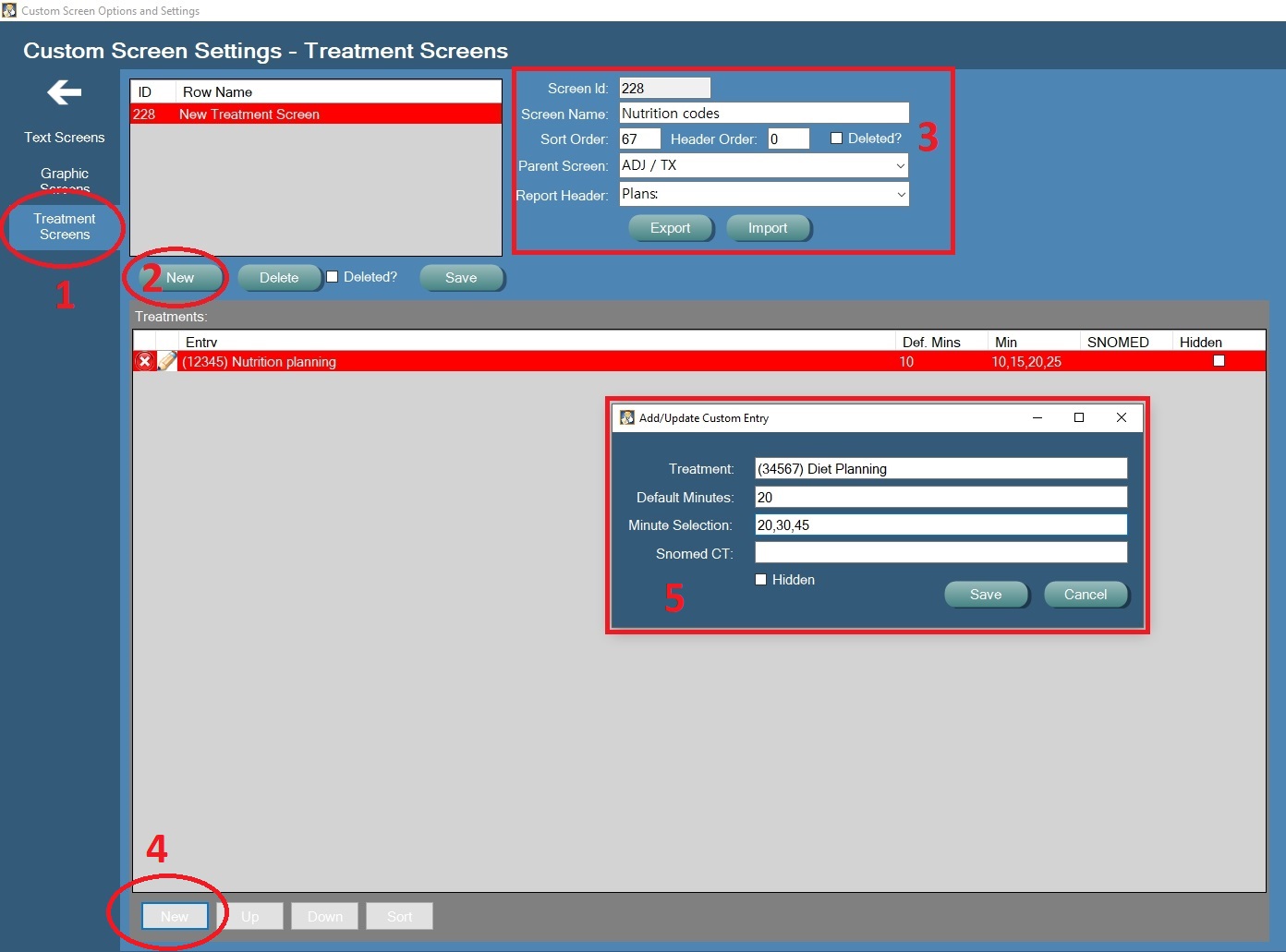
Choose Treatment Screens (1) and press the New button (2), then choose a Name, a Parent Screen and a Heading for this screen to print in Reports (3). At the bottom of the page, press New (4) to create a code.
(5) - Enter the new Code and Description in the Treatment box. You can also enter a default time, or a set of times to choose from. If you know the Snomed code for the new treatment you can also enter it, or simply leave it blank. Press Save when done
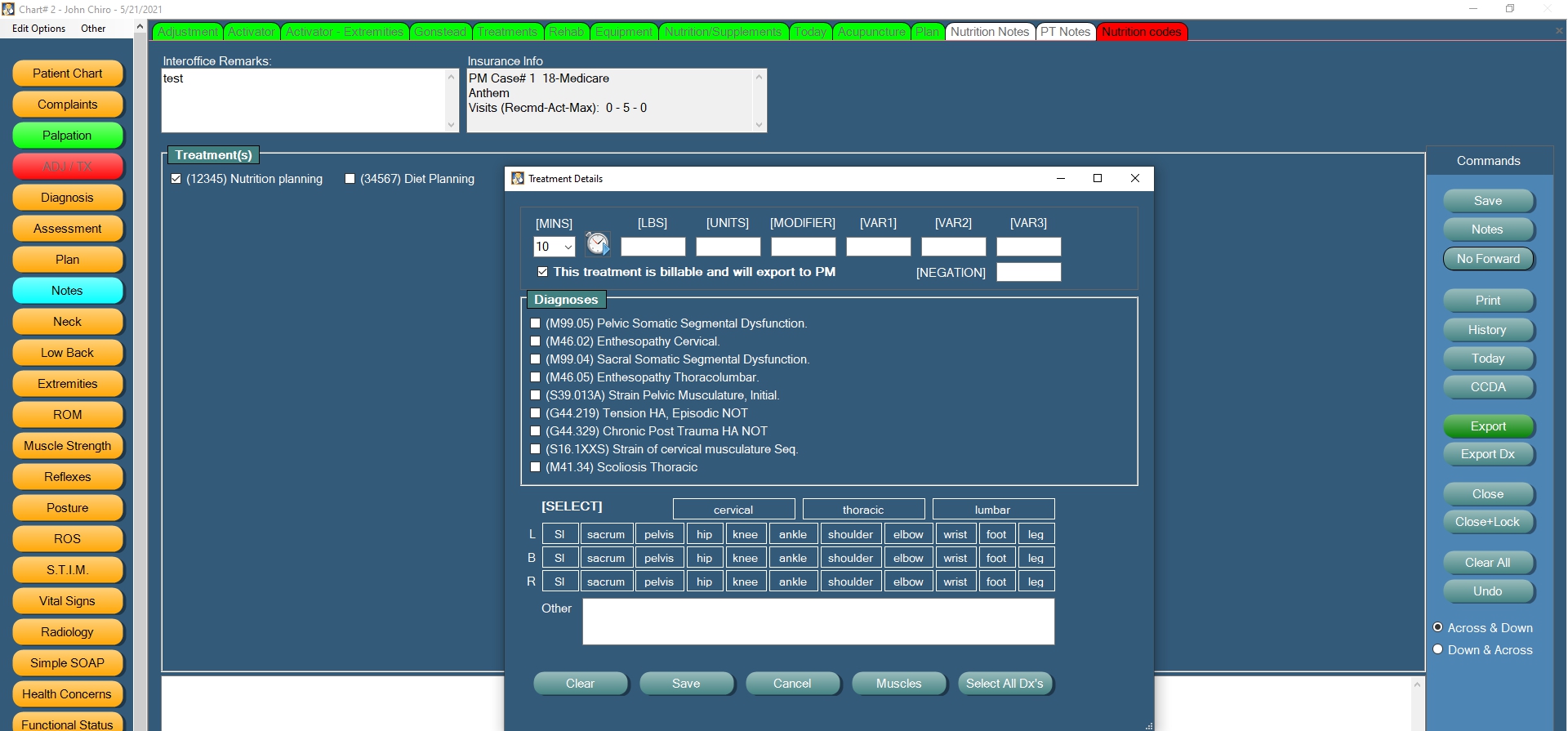
The new Treatment section will be accessible on the Parent screen you selected on the next visit to the Exam screens. The functionality of a custom Treatment screen is exactly the same as the regular Treatment exam screen you use today. You can attach DX codes, edit minutes, use Variable boxes in your descriptionx, and Export to your billing tool just like you do today.
0 Comments