
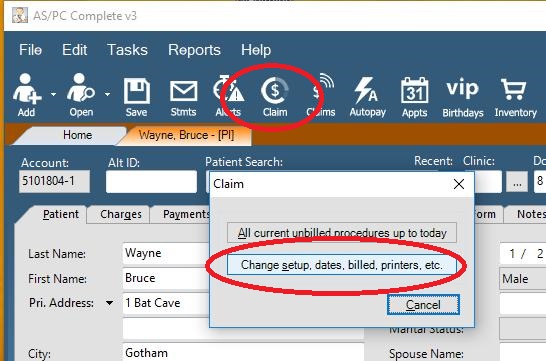
While in a Patient Record, Press the Claims button on the Navigation Bar, then choose Change Setup, Dates, Billed, Printer, etc.
Choose the Forms/Output tab then press the 5010 Setup button

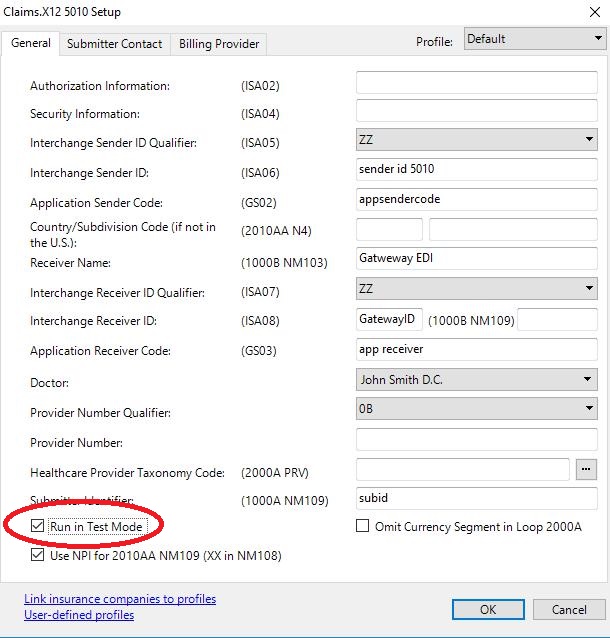
Enable/Disable Test mode using the Run in Test Mode box
While in a Patient Record, Press the Claims button on the Navigation Bar, then choose Change Setup, Dates, Billed, Printer, etc.
Choose the Forms/Output tab then press the 5010 Setup button
Enable/Disable Test mode using the Run in Test Mode box
0 Comments