
On rare occasions, PM/EHR may prompt you to re-enter a License Key when you try to launch the program.
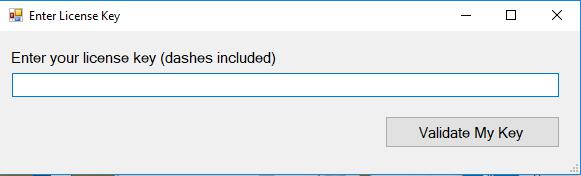
A copy of your License Key was placed on your system when the software was loaded. It is typically located in C:\Program Files (x86)\Midwest Software\LIC.txt. If you are familiar with Windows, you can browse directly to this file with Windows File Explorer. The code can then be copied and pasted to the registration prompt. Validate My Key will finish the registration process.
Please Note: If your system is asking you to register every time you run the software please contact the Helpdesk.
If you are not sure how to browse to the above folder the following steps will help you retrieve the Key.
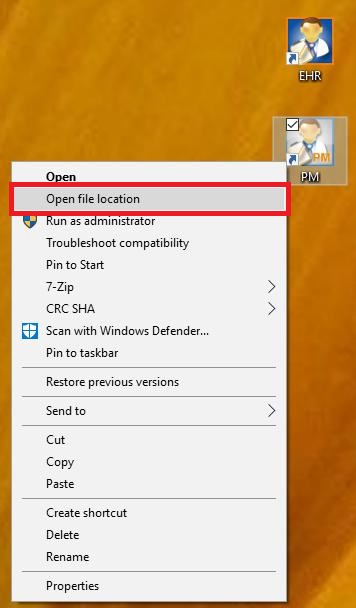
Right click on the desktop icon for EHR or PM. It doesn't matter which icon you use. Choose Open File Location from the menu.
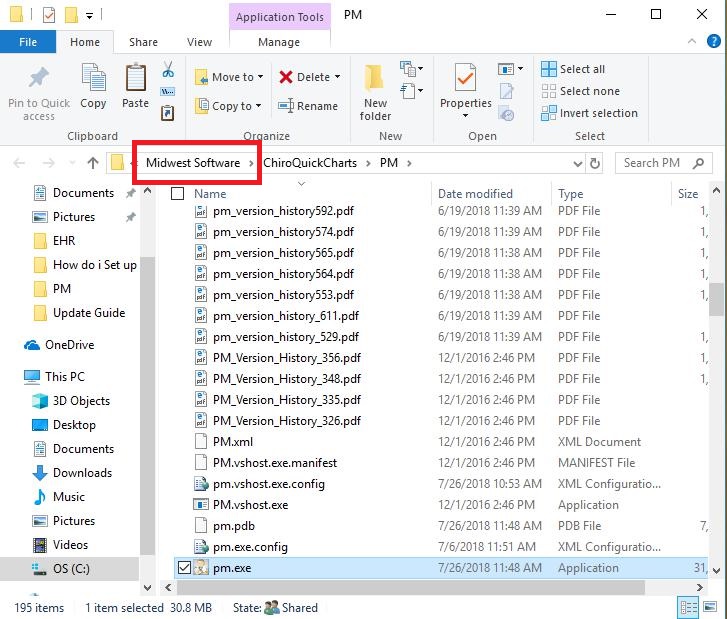
A folder will open. Click on Midwest Software in the Address bar.
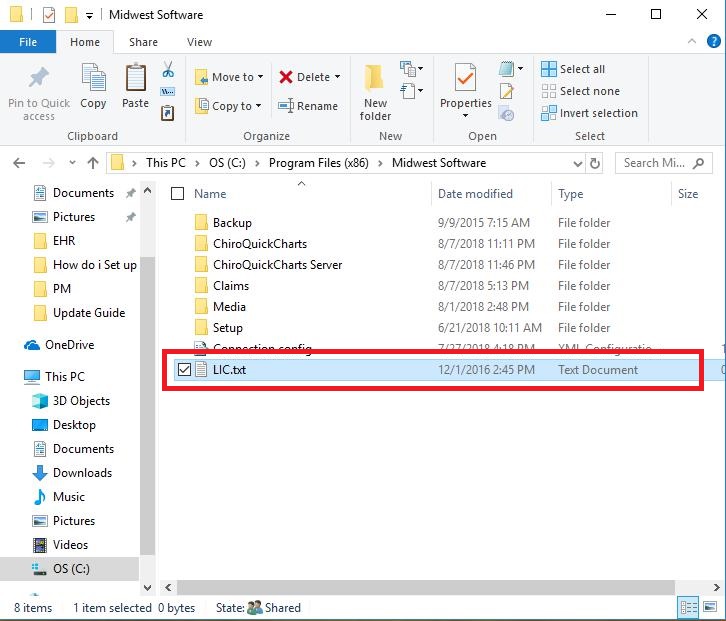
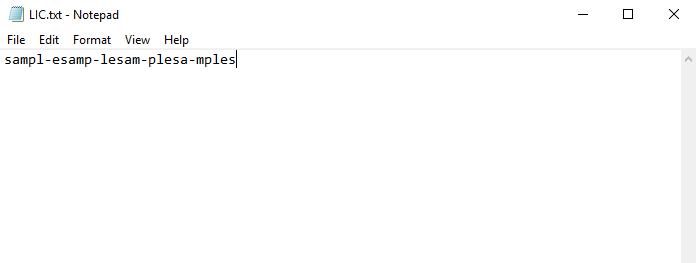
The Midwest Software folder will open. The LIC.txt is located here. Double click on it to open the file.
The key can be copied and pasted into the Registration prompt, and then you will press Validate My Key.
0 Comments