
Please note - The steps in this guide must be done directly on the server. You do not need to perform this task on any workstation.
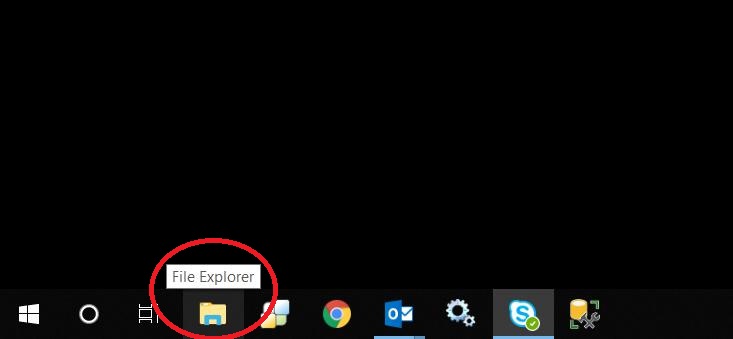
Click on the File Explorer icon on the Windows Task Bar
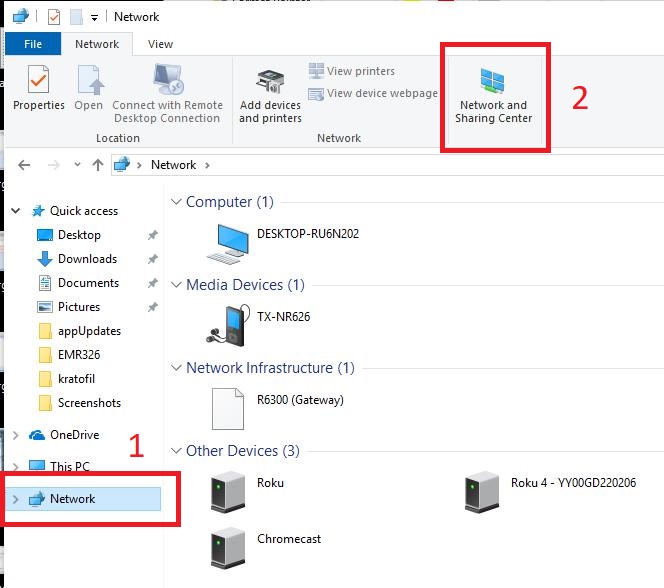
Choose Network from the Navigation Panel on the left, then choose Network and Sharing Center at the top of the screen
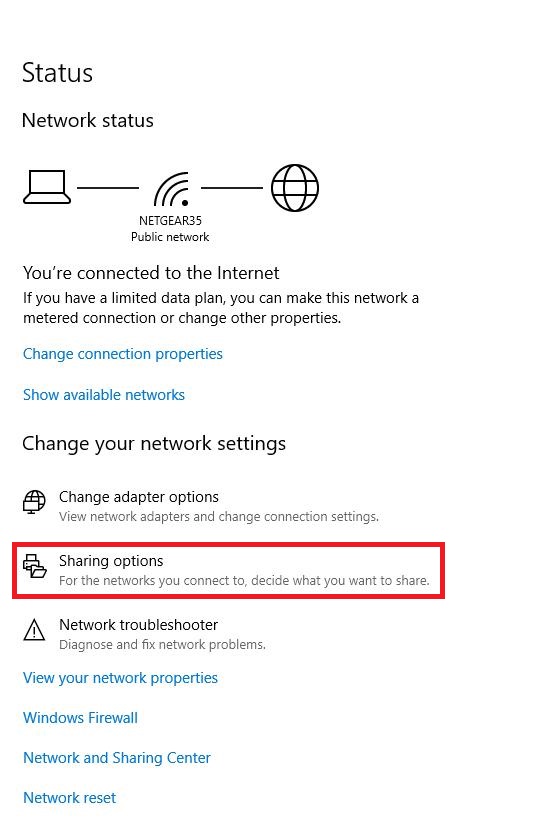
Choose Sharing Options
Expand All Networks and choose Turn Off Password Protected Sharing. Press Save changes to close the screen. Anyone that is currently logged in to EHR or PM should exit and restart the program to restore Media Directory and Record Center access

0 Comments