
The steps below must be performed on the system with the error. If More than one PC\User has this error it will need to be done multiple times.
Close PM and minimize all applications. Right click on the PM Icon on your desktop. Choose Open File Location from the menu.
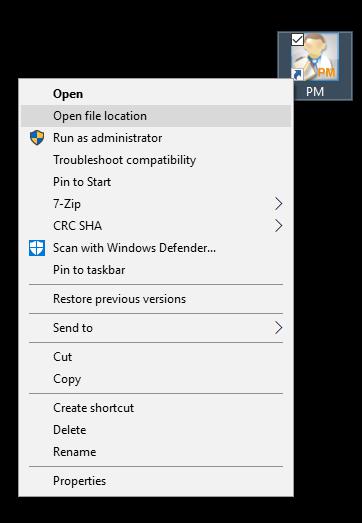
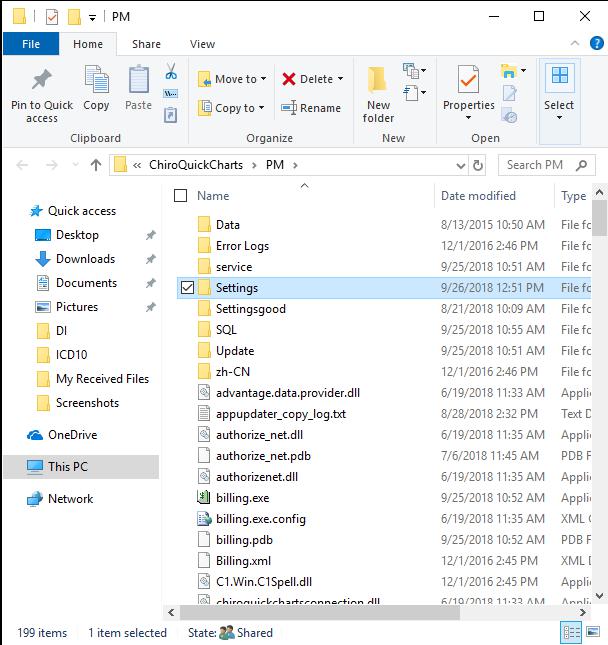
This will open the PM program directory. Scroll to the top and locate a folder named Settings and double click to open it.
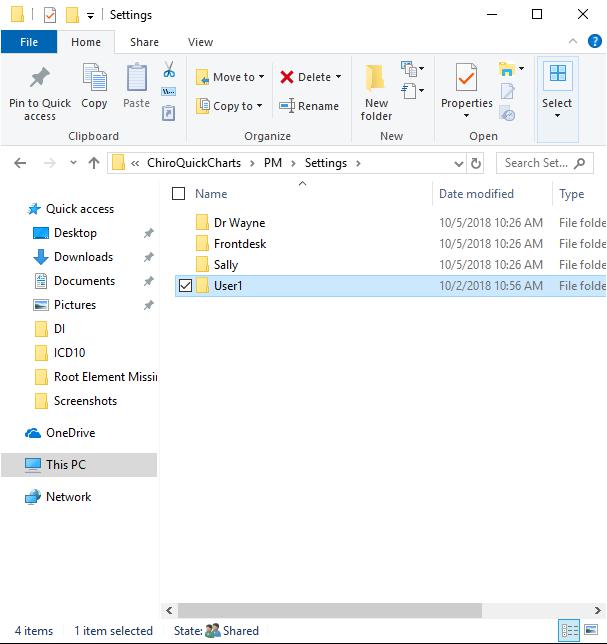
You will see a folder for each User Login. Delete the user you were logged in as when you got the error, if you are not sure it is safe to delete them all.
Locate your user name (the user who reported the error) and delete the folder. You can right click on it and choose Delete, or you can highlight it and press delete on your keyboard.
Now log back in to PM and verify if the error is gone. If this did not fix the error please contact tech support.
If you have any other issues please contact the HelpDesk
0 Comments