
Symantec requires that you add each workstation to the Trust folder for the Server. The steps outlined below will be performed on the Server directly.
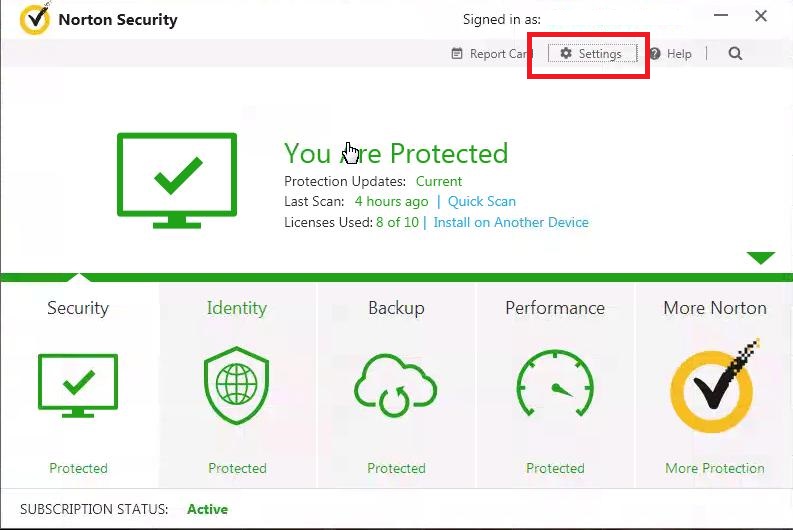
Start Norton Internet Security and go to Settings
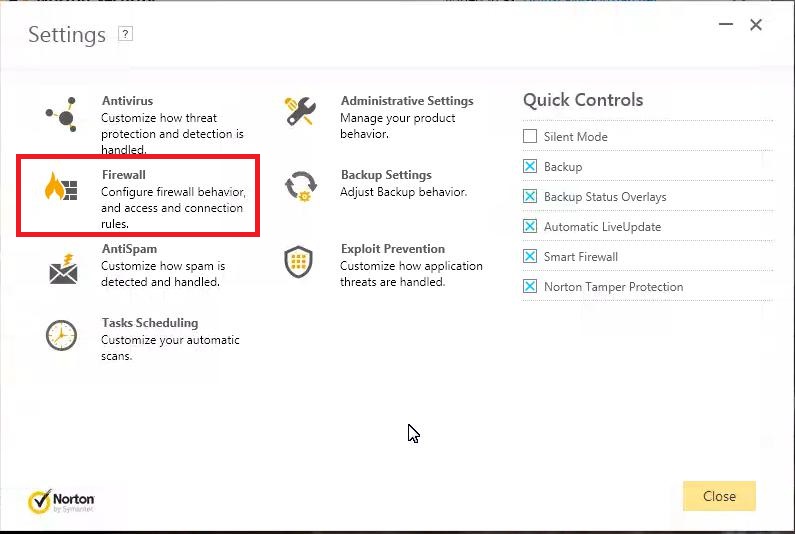
Open Firewall Settings
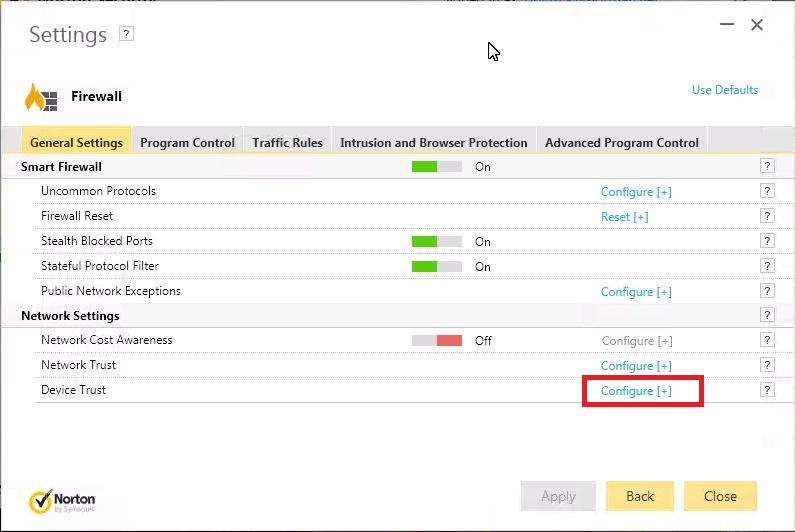
Click on Configure for Device Trust
Press the Add button
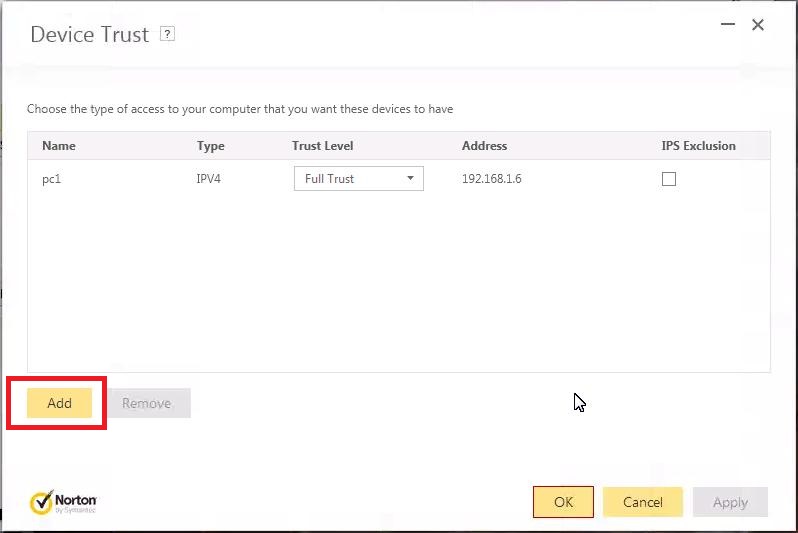
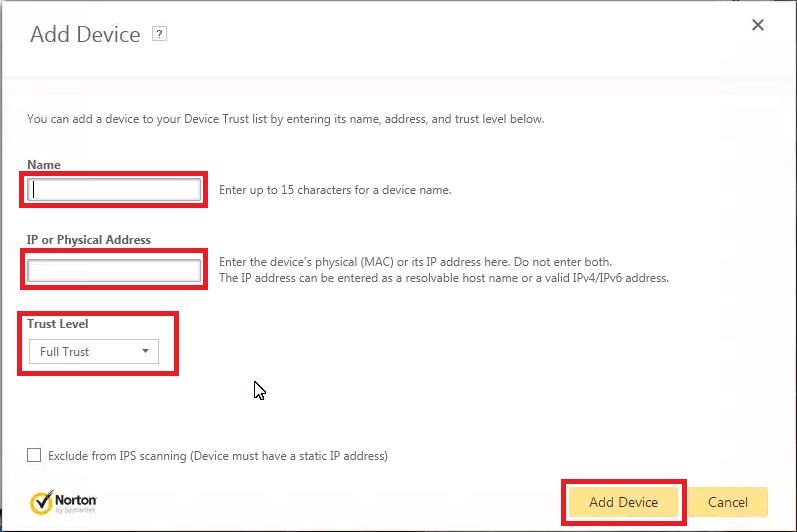
Enter a name for the first workstation, this can be anything you wish, like FrontDesk, or Exam Room 1.
Enter the IP address of that workstation computer.
Choose Full Trust
Press Add Device.
Repeat these steps for all workstations that need to run PM/EHR
0 Comments