
Clinical Information Reconciliation and Incorporation (CIRI) is the process by which a summary of care document (CCD) provided by another provider is imported in to your system to create or update a patient record.
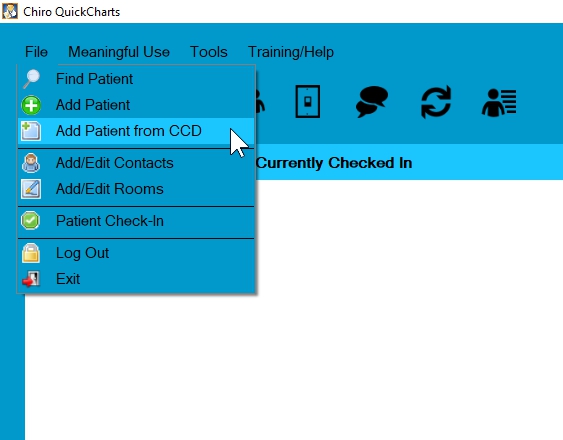
To import a file
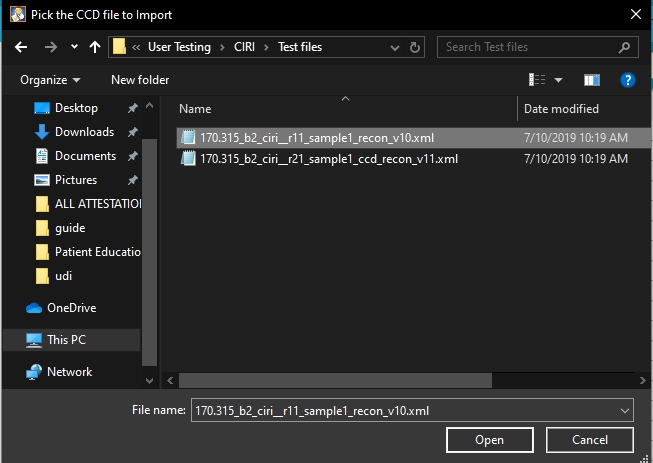
Browse to the CCD file and choose open
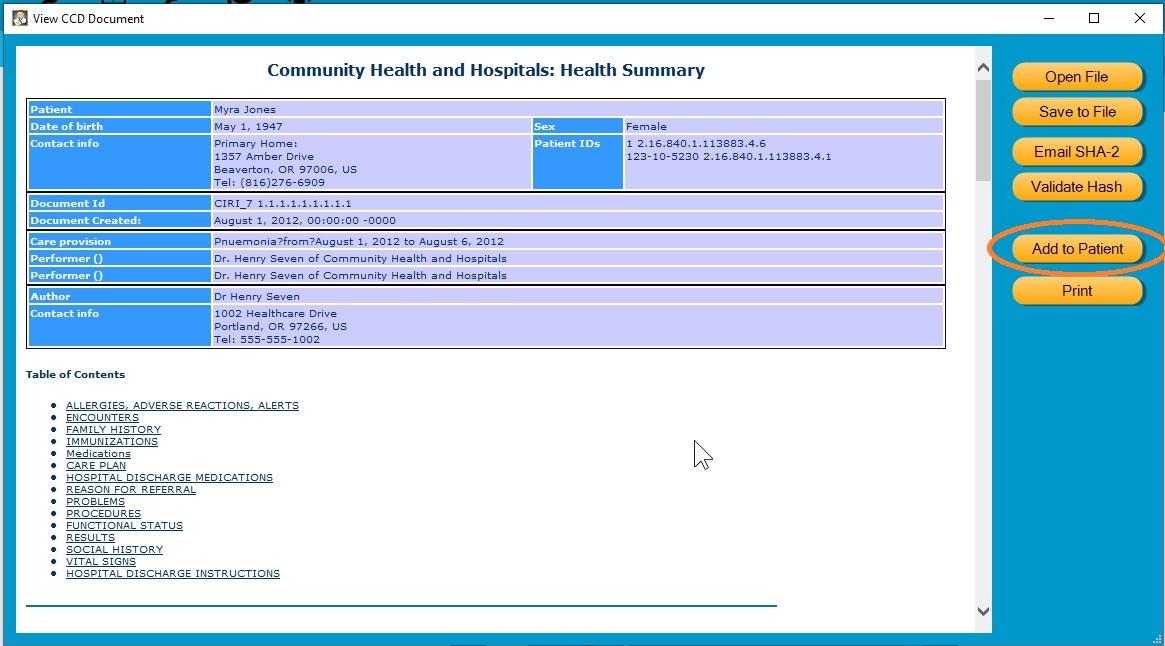
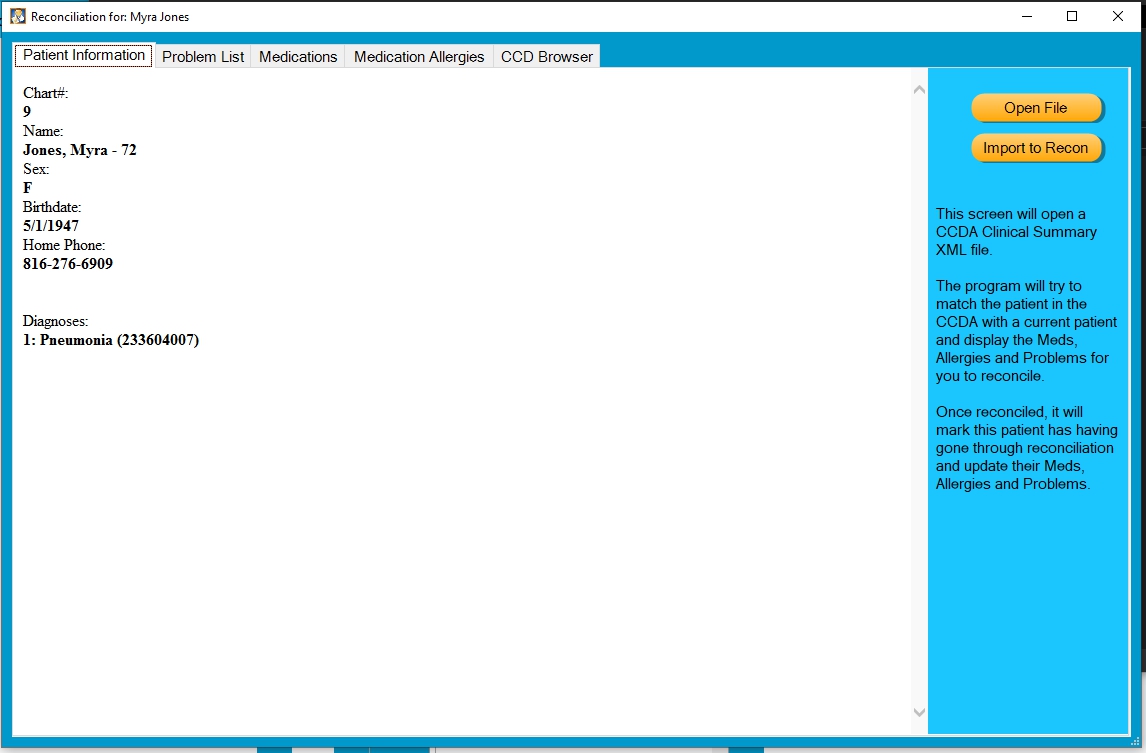
The system will display a summary of the Patient record. Press Add to Patient to begin the CIRI process
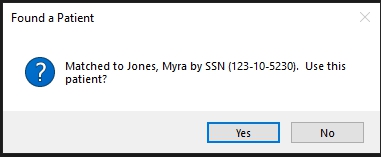
Verify the system matched the correct name and press Yes
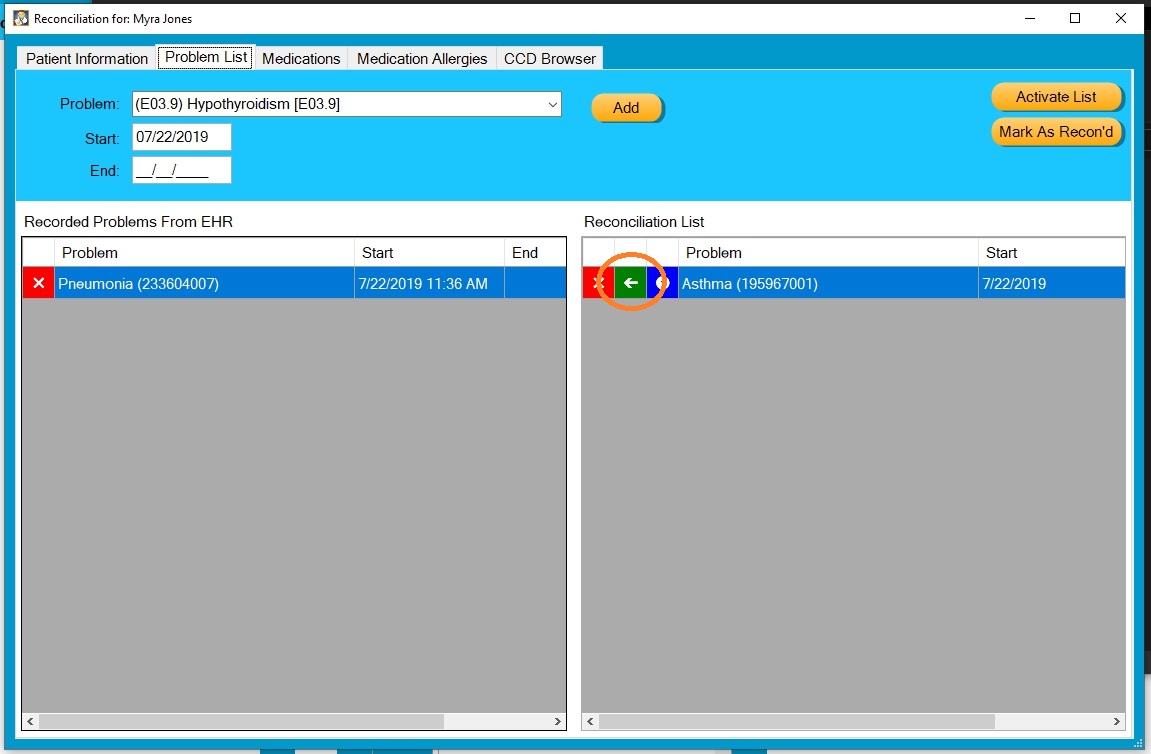
The Clinical info will be displayed on several tabs. Problem list, Medications and Medication Allergies. Start with the Problem list tab.
The info on the Left are the problems currently recorded in EHR. The list on the Right are the items contained in the CCD document. Use the Green arrow to move the incoming list to the EHR list.
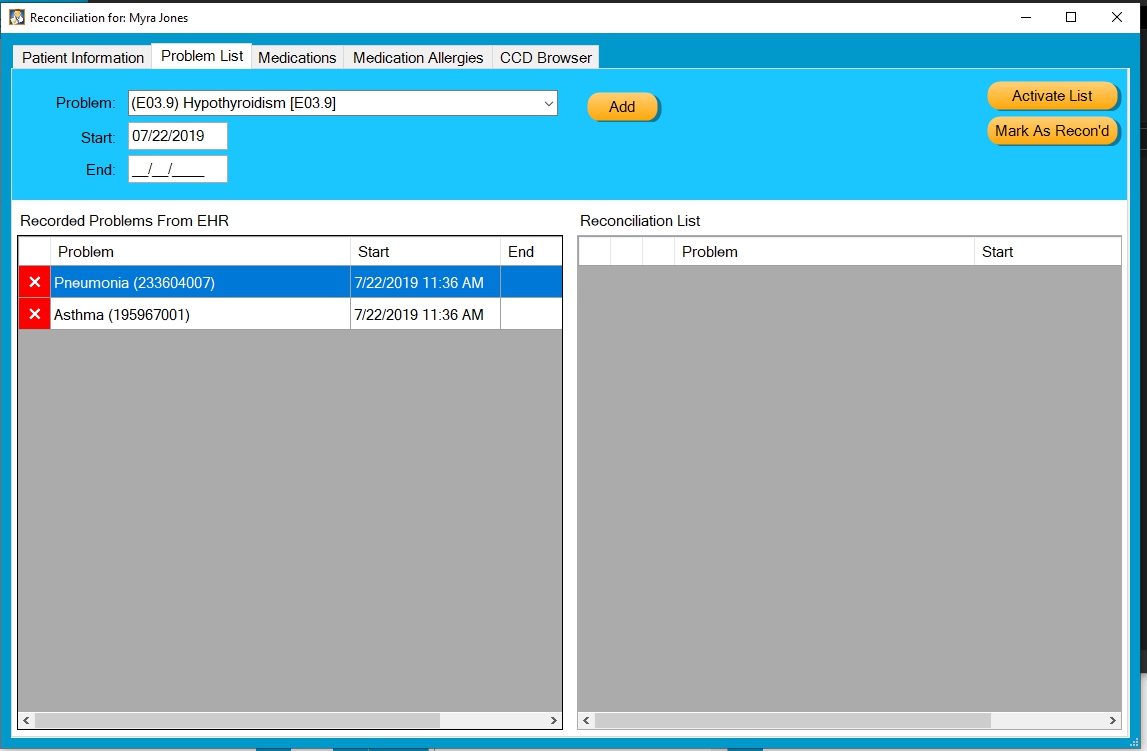
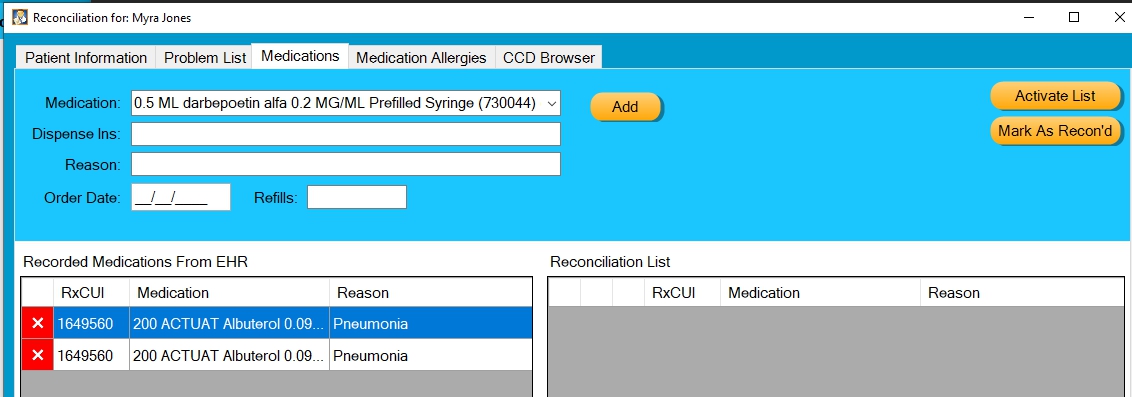
Repeat that process for Medication and Medication allergies. If something matches what is already on file in EHR, remove one item from the list on the left after the move. In this example, albuterol was already recorded in EHR, so after reconciliation we have two identical entries on the left. Use the red X to remove one.
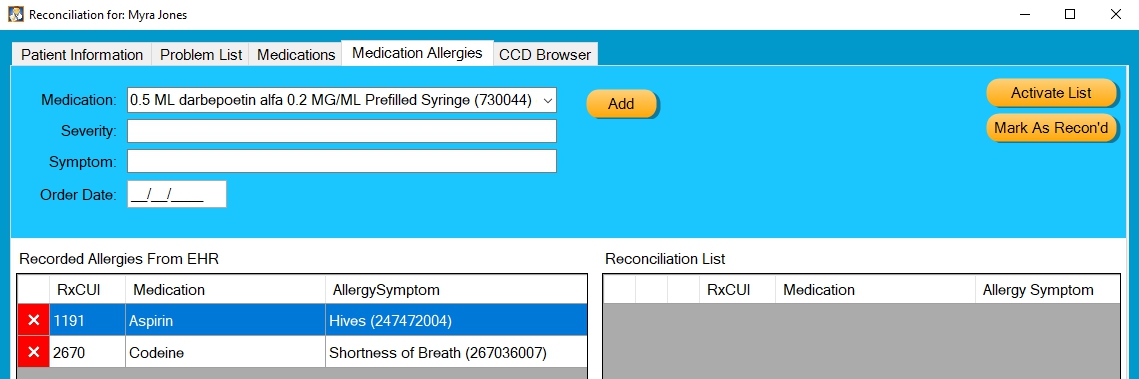
When all data from the three tabs has been imported simply close the Reconciliation window by pressing the X in the upper right corner of the window
To Export a CCD file
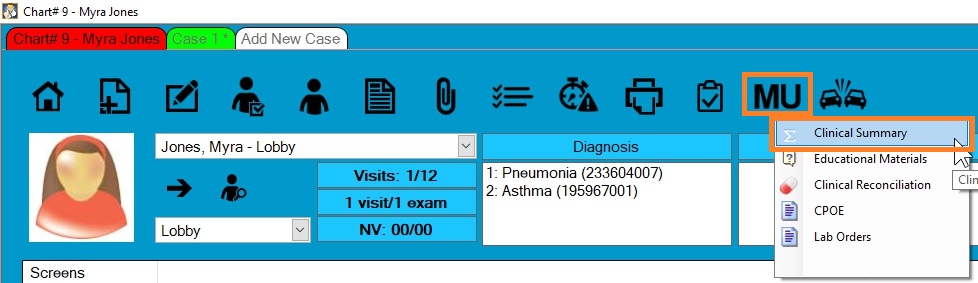
Open the Patient chart and go to MU - Clinical Summary
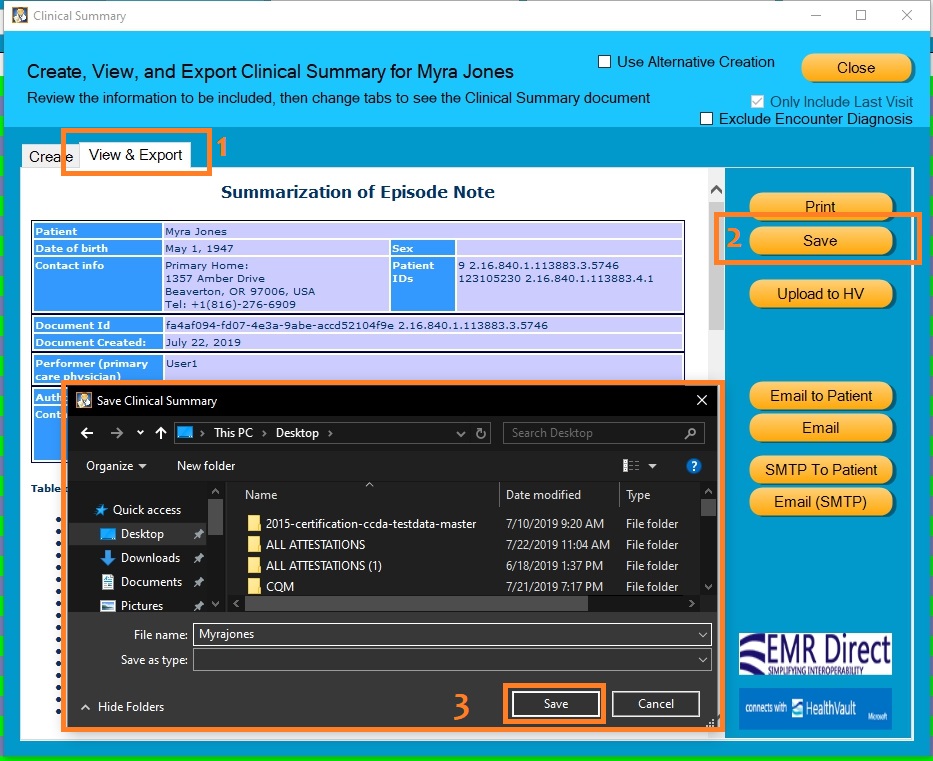
On the View and Export tab (1) press the Save button (2). When the Save Clinical Summary window (3) appears choose a location, type in a name for the file and press save.
0 Comments