
PM now will allow reconciliation of adjustment actiontypes. This can be useful when wanting to apply an UNASSIGNED Insurance Adjustment or Credit amount to separate charges on an account.
STOP: This feature is not turned on by default. Please open a ticket here and ask tech support about turning on the implementation before attempting any of the steps below.
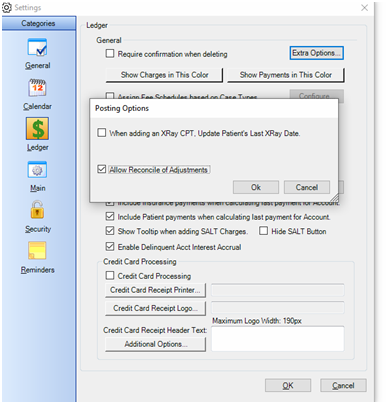
1) The SETUP: This Adjustment Reconcile function must be turned on. This can be found in the Settings menu, in the Ledger category, click the Extra Options button and then check the option “Allow Reconcile of Adjustments”:
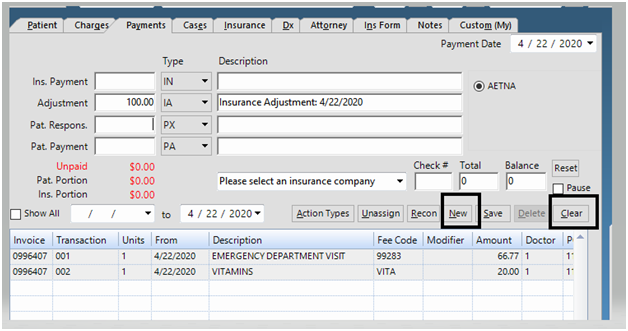
2) Using the feature: Save an unassigned adjustment or credit by clicking New and Clear on the Payments tab prior to entering and then saving the adjustment. This will make an adjustment unassigned:
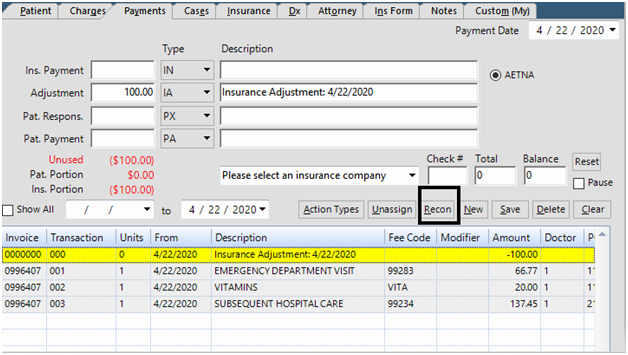
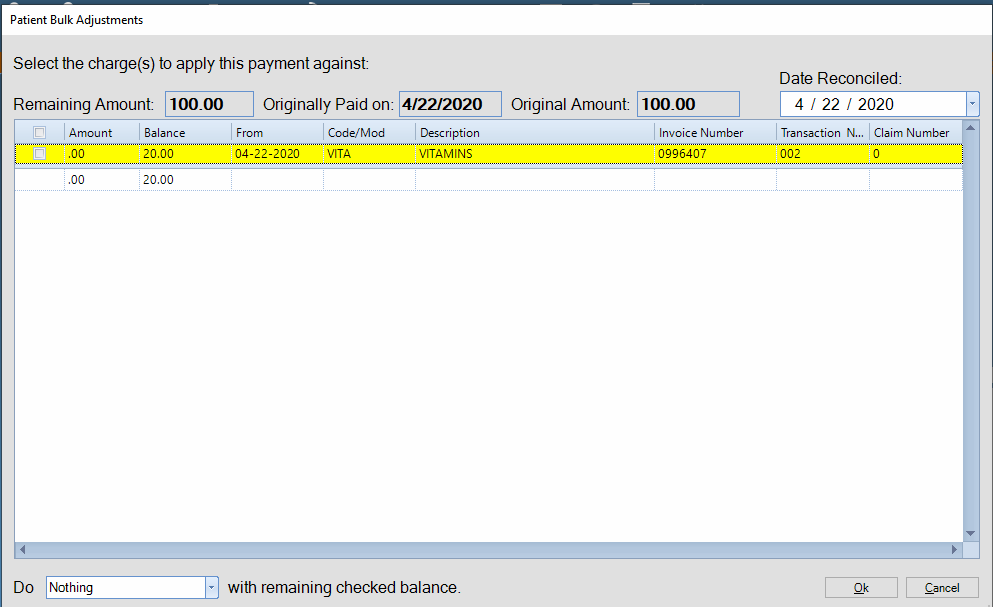
3) Using the feature cont…: Next, you can highlight the adjustment in the Ledger, then click the Recon button and it will bring up Insurance\Patient Bulk Adjustment screen to apply the adjustment to the charges:
This is what the screen looks like to reconcile bulk insurance adjustments:
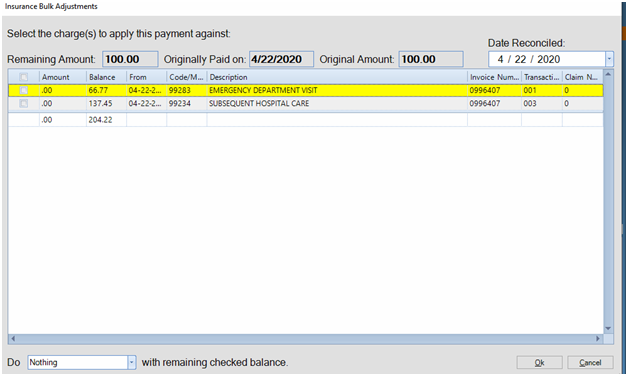
This is what the screen looks like to reconcile bulk patient adjustments:
You can view the unassigned adjustment breakdown window double clicking the adjustment. A guide regarding using the breakdown window can be found here.
Tech document created by Micah 02/12/20, revised 02/28/20. FAQ created by Aubrae 04/22/20
0 Comments