
When adding the facility in box 32 it can pull from several different places in the program. The first place it pulls from is on the INS FORM Tab under other service facility.

If the facility is the same as the clinic, you can select a check box when processing claims that will populate the clinic information in box 32. If you need to print a single claim or a batch you need to make sure on the configure tab Print Clinic Name address in HCFA Box 32 is selected. If this box is unchecked it will leave box 32 blank if nothing is present on the INS FORM tab.
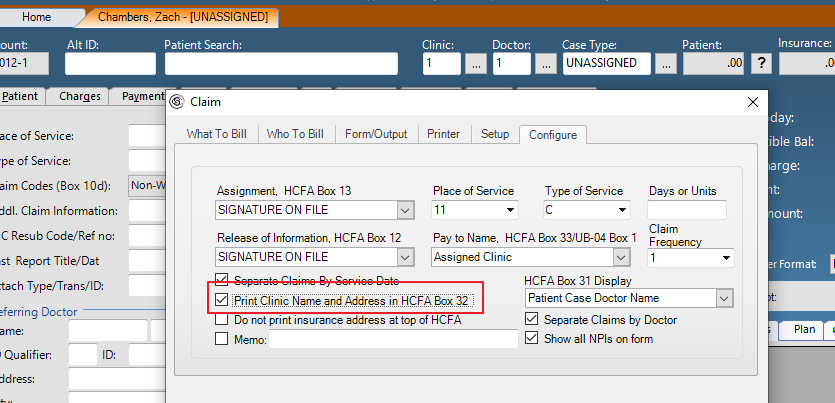
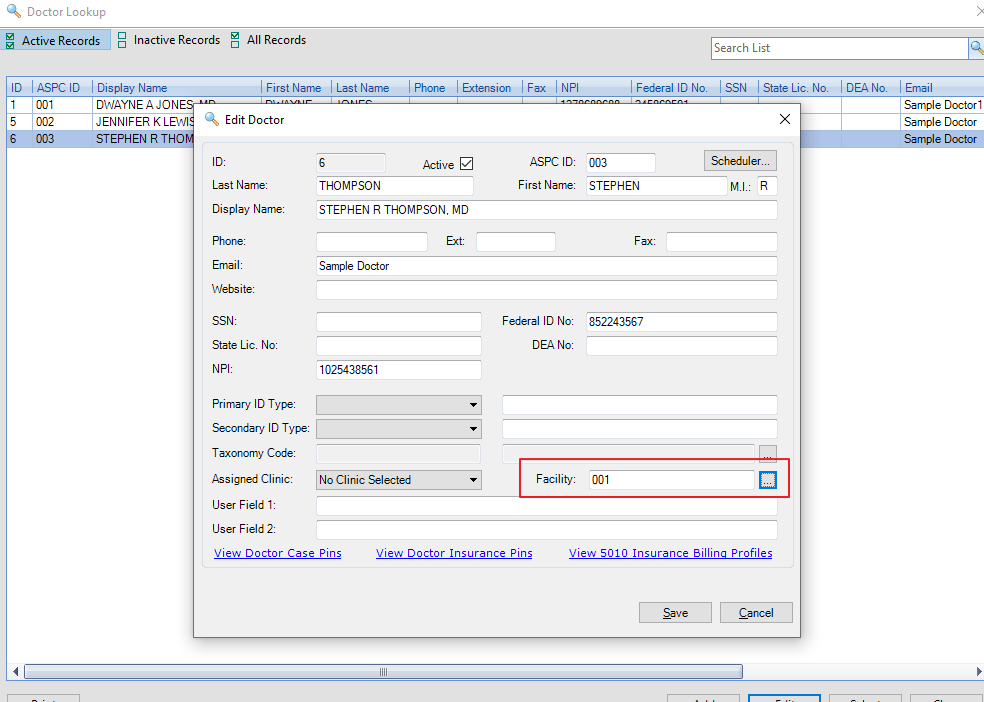
Box 32 also pulls from the Doctor Profile. If you have, the facility assigned to the doctor profile it will populate the facility assigned to the doctor. (If the check box is uncheck on the configure tab)
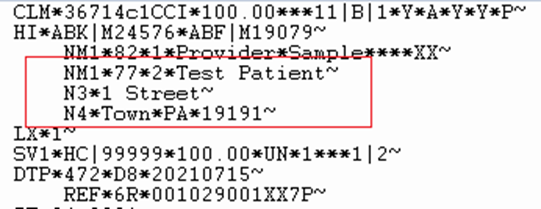
If the treatment is performed in the patient's home, Box 32 should print the patient's name and address. Contact DBC Tech Support to activate this feature. Once the feature is enable you navigate to the Insurance tab, select insured, You will need to check the box that displays (Use PT Info for facility in box 32 ).
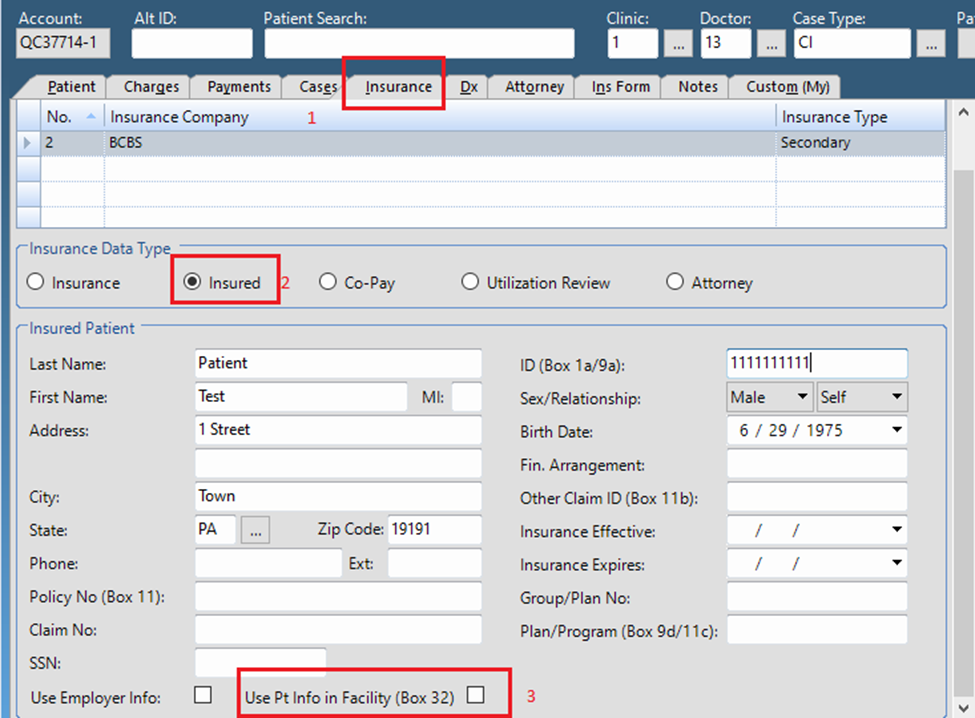
Also the charge line item must have POS 12 and the checkbox on the configure tab should NOT be checked to print clinic name and address in Box 32.

When checked, Box 32 on a HCFA claim prints the patient’s name and address.
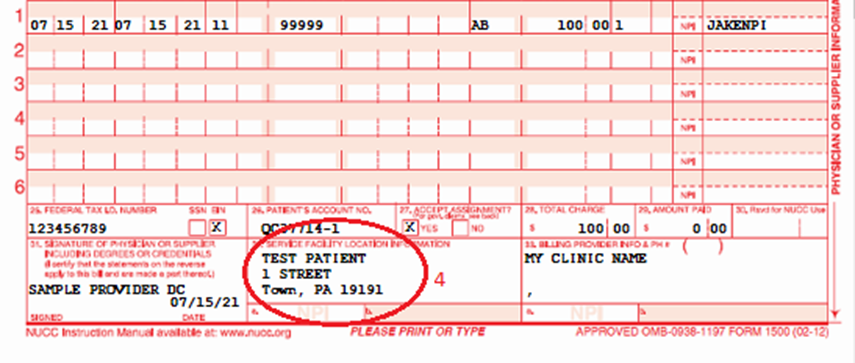
Or Loop 2310C in an 837 electronic claim:
0 Comments