
You can send an https://dbconsultants.zendesk.com/hc/en-us/articles/115007950187-SchedulerICS file to a patient by email that will update their calendar with their appointment date and time.
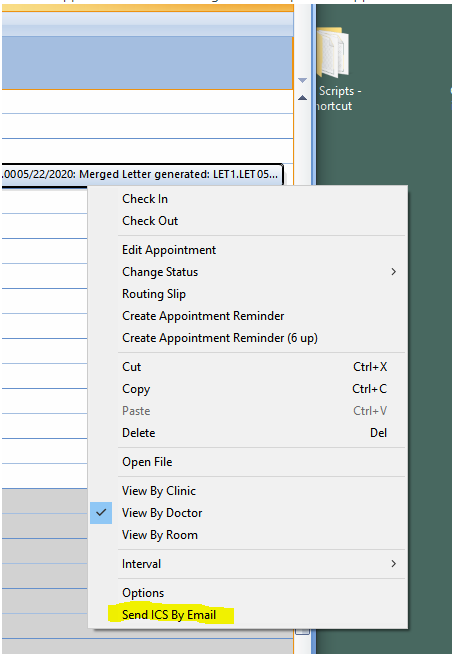
In the appointment scheduler right click the patient's appointment and then select 'Send ICS by Email':
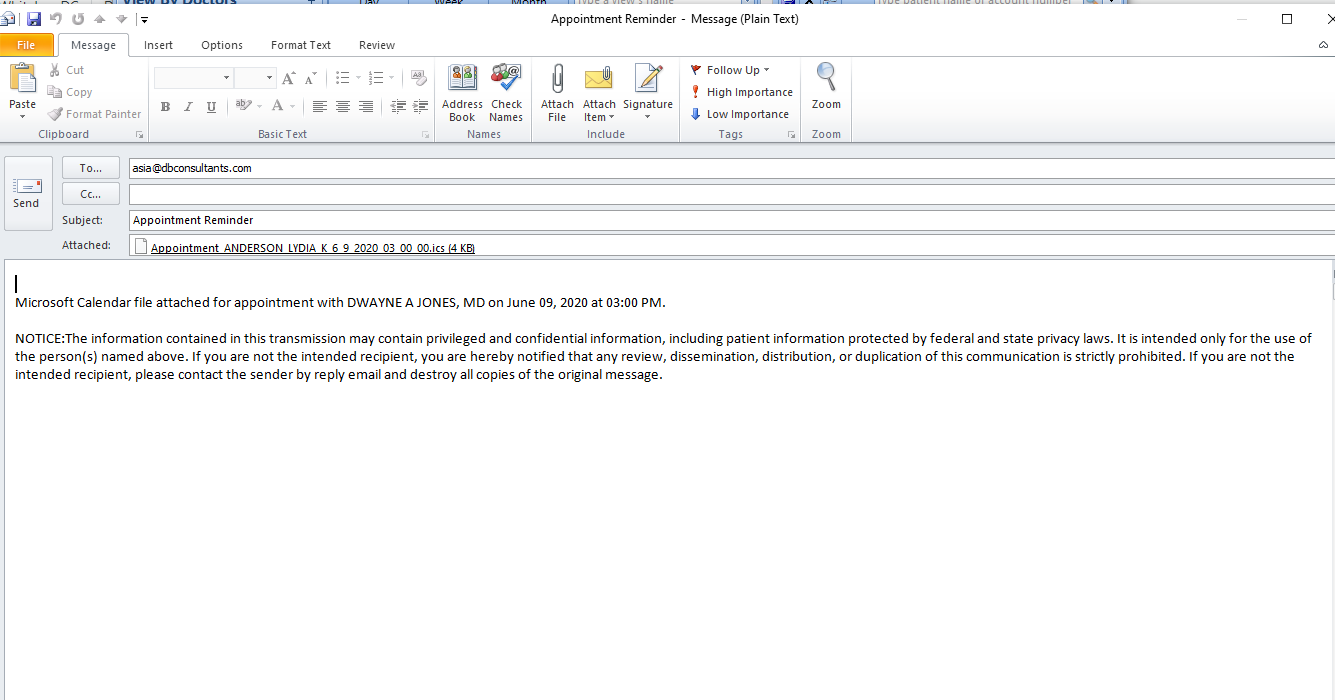
The email will open in Outlook with the appointment ICS file and it can be sent by clicking 'Send': also the patient must have a valid email on file.
0 Comments